
Your AI. Your machines. Everywhere.
Give your  a machine.
See it. Control it. Delegate it.No Account Needed


 Remote AI · for Android Free
Your machines.
In your pocket.
Your AI computer doesn’t need to fit in your pocket — the control does. Chat, voice, remote desktop, approvals, skills and schedules, from anywhere, with no account and no cloud in between.
Free · version 1.56 · 3.3 MB · Android 7 or newer · needs AIM on your Windows PC
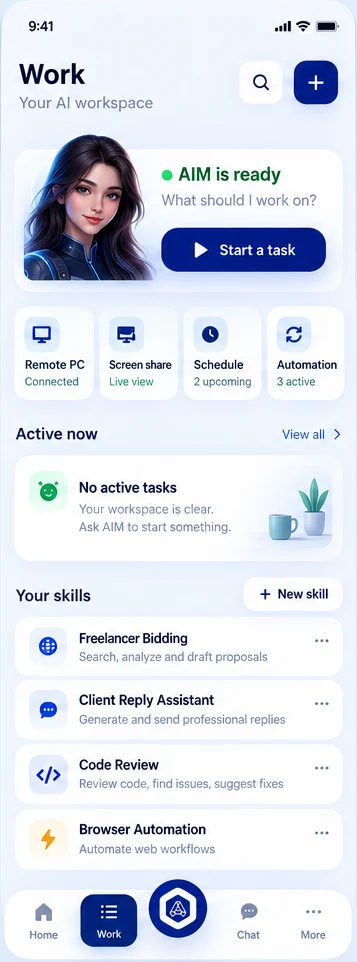
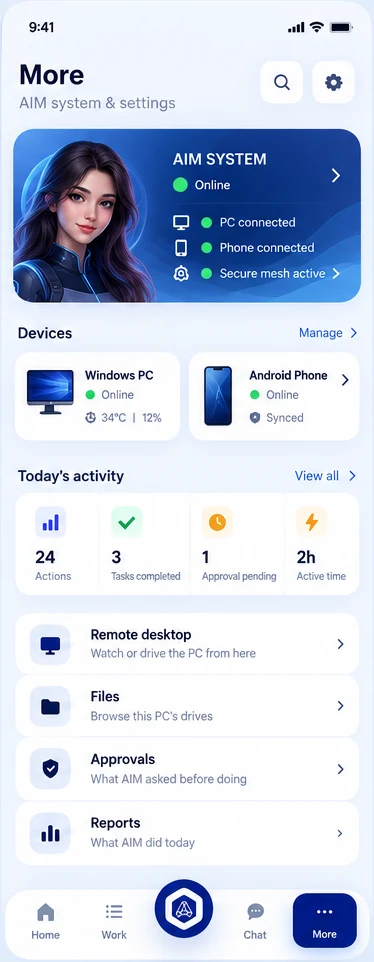
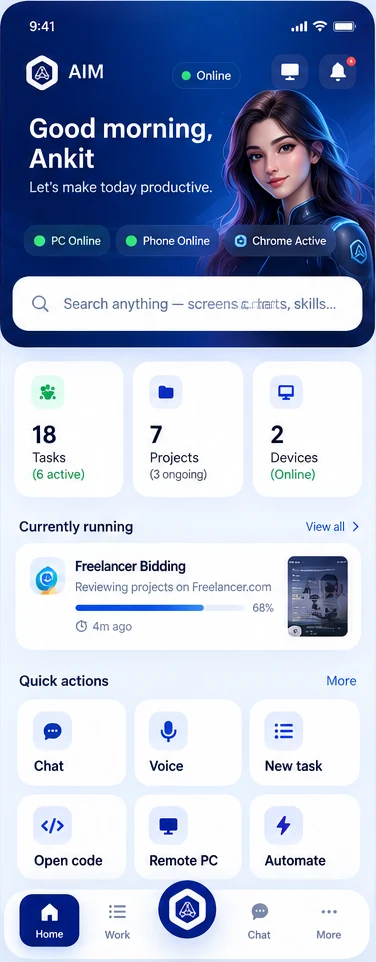

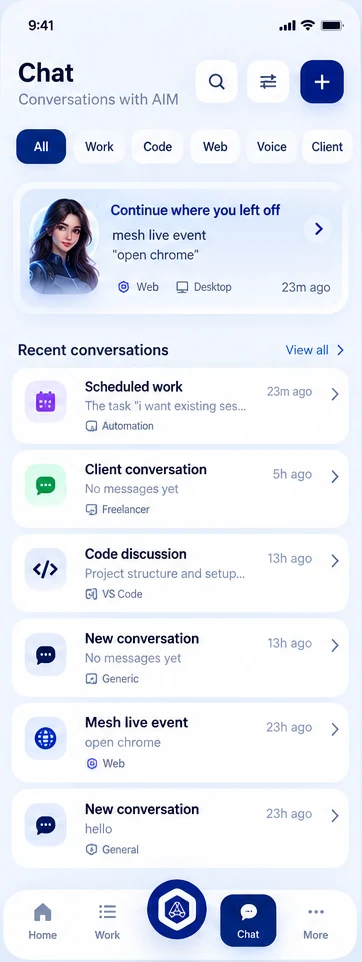
Give your AI a machine.

Meet AIM.
One assistant, on your PC and in your pocket. Here’s what the phone app does.
- Remote desktop & screen shareYour PC full screen on the phone — tap, swipe, pinch to zoom.
- Voice and chatAsk by voice or text; the answer comes from your own PC.
- Skills and schedulesRun a skill in one tap, or set work to repeat every day.
- Private link, from anywhereEncrypted end to end. No account, no cloud copy, no router setup.
- NotificationsApprovals and finished work reach you with the app closed.
- You are the adminUp to five devices; only your first phone can remove the others.
Four places, everything in reach
Home for what’s happening, Work for what to start, Chat to talk it through, More for the rest.
The AI lives on your PC.
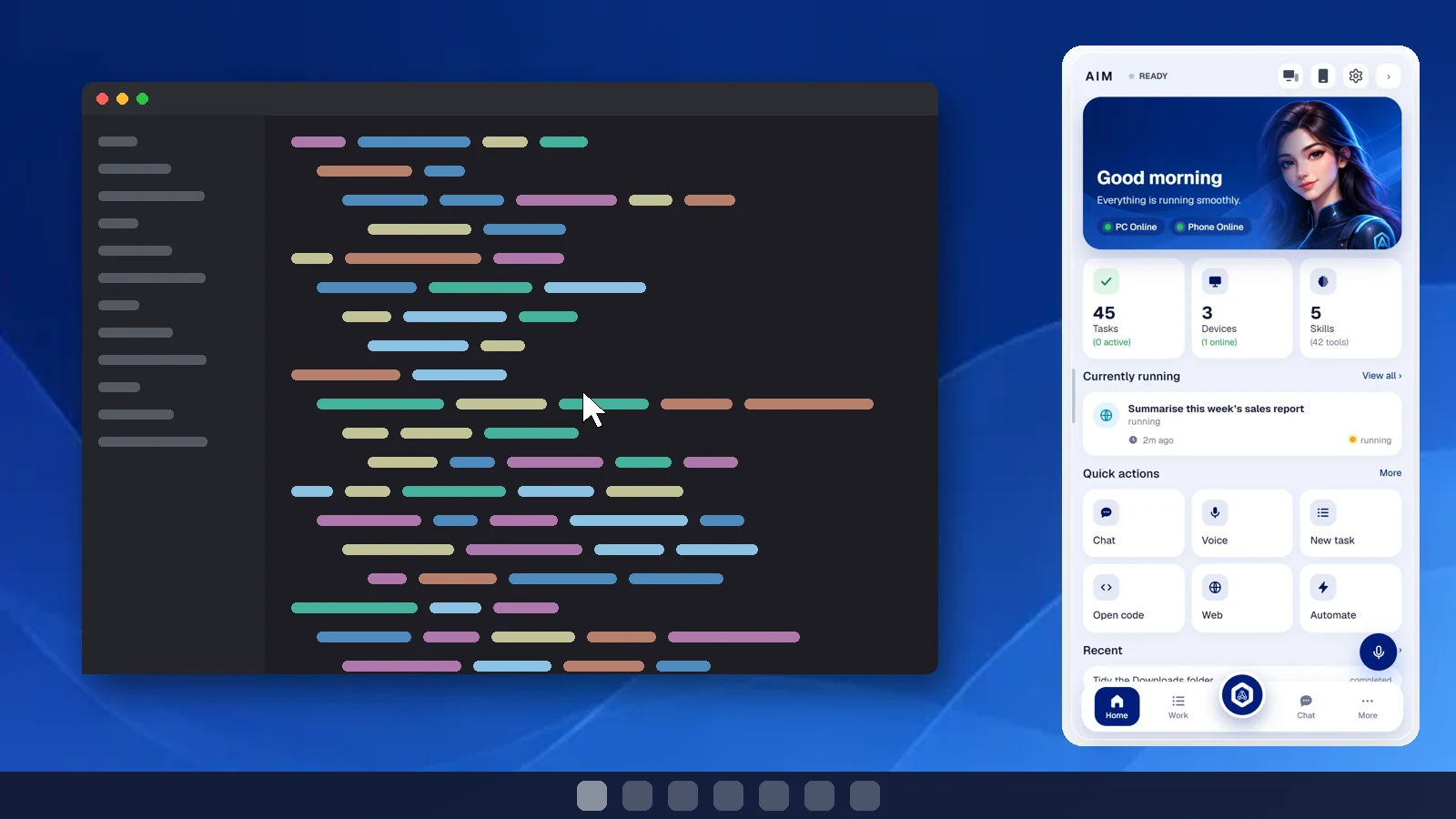
A panel at the edge of your screen: chat or talk to it, hand it work, and let it use your PC for you. The phone app is its remote.
- A local AI that does things — Opens apps and folders, reads the screen, runs tasks.
- Code with Claude — Plans, edits and checks projects, with diffs and checkpoints.
- Drives the browser — Opens, reads and fills pages in the Chrome you use.
- Files and approvals — Every drive in reach; anything risky waits for your yes.
- Reports and activity — Every action on record, and a daily report.
- Stays on your PC — Chats, files and memory never leave your machine.
- Your Chrome profiles — Sees which profile is open and opens sites in the one you pick.
Free · small installer · sets up everything itself · the extension puts AIM in a Chrome tab on any laptop
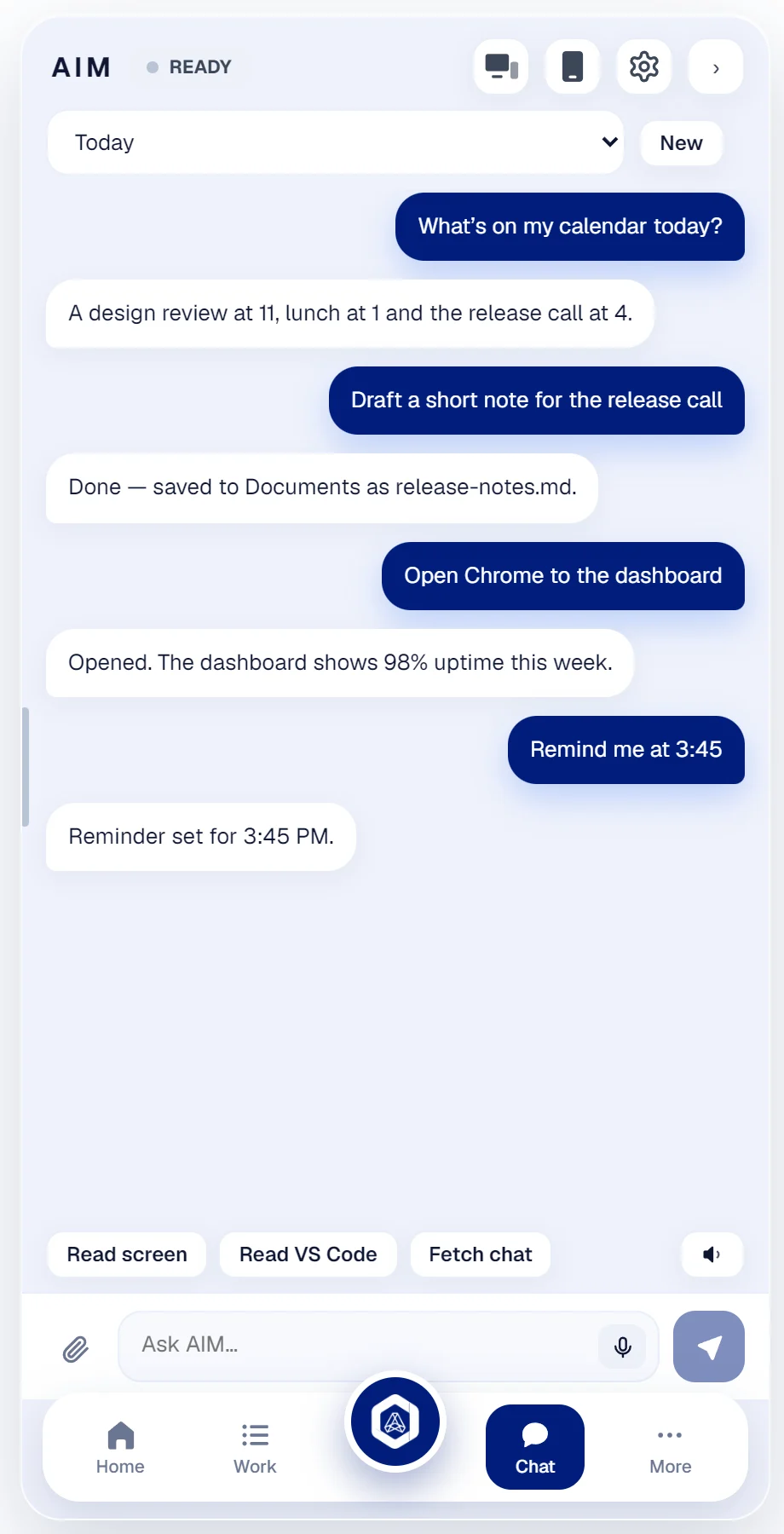
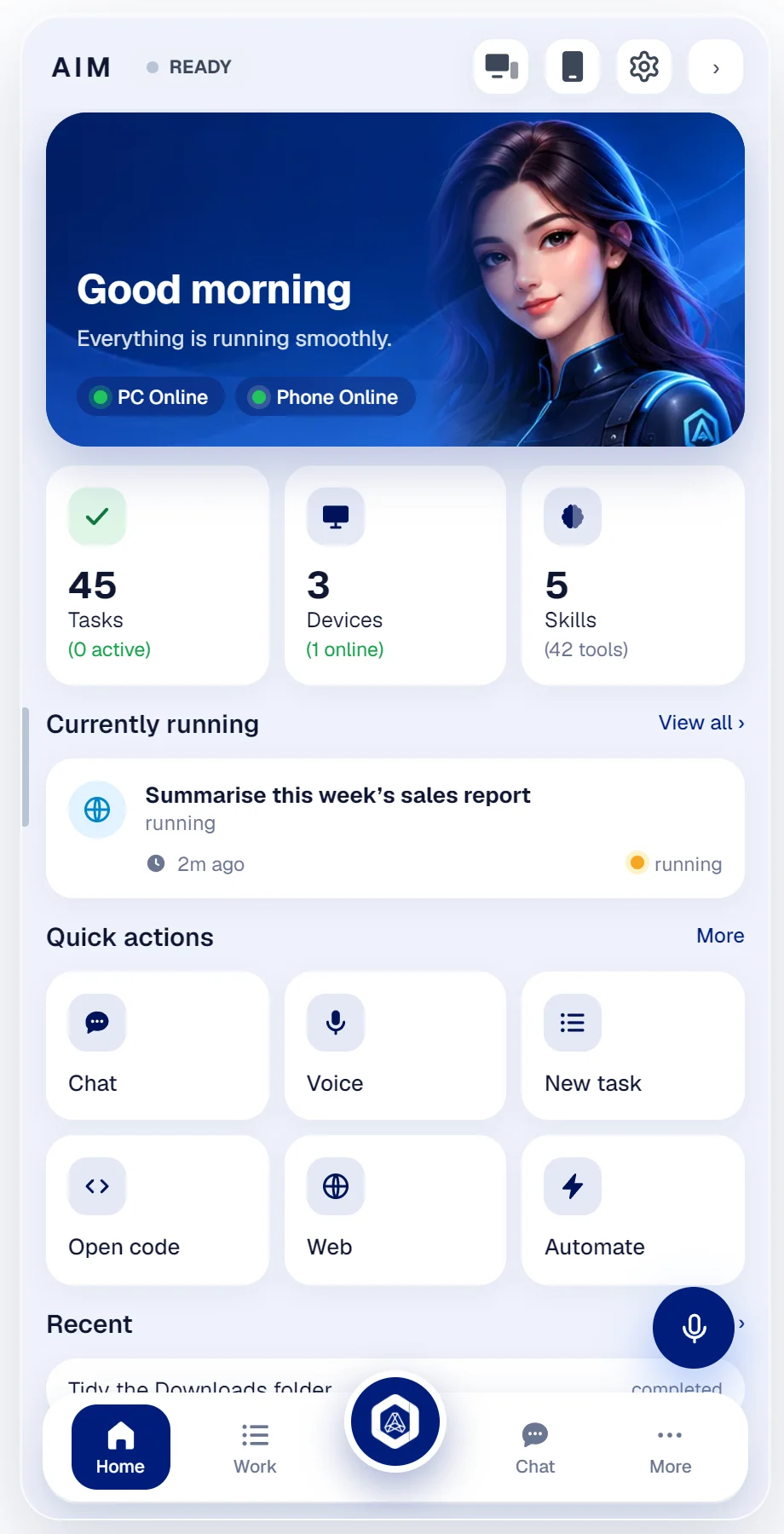
 ● Live


Four chats that work for you
Chat opens on four cards, on the phone and on the PC. Each has its own job.
- VS Code, live. Follow your Claude Code chat as it works — and type into it from anywhere.
- AI Agent, Freelancing, Web. Each with its own role and the tools its job needs.
- Skills decide. Add skills to a chat and it becomes an agent; leave them out and it just talks. Add as many chats as you like.
Your PC, from your laptop.
Click the AIM icon in Chrome and your PC’s screen fills the window — your mouse and keyboard drive it, shortcuts and all. Your chats come along too. No install on the laptop beyond the extension.
It builds its own tools.
AIM reads an API’s documentation and writes a small tool for it. You read it and approve it — nothing runs before that. Your keys never leave your PC.
- 1Research the API
- 2Write the tool
- 3You approve
- 4Use it · improve it
 Done — approve it and I’ll use it.
def run(args, http): r = http.get("https://api.github.com/repos/" + args["repo"]) j = r["json"] return {"stars": j["stargazers_count"], "language": j["language"]} # no keys in the code — AIM adds them
Can reach: api.github.com · reads only (GET)
You stay in control.
Local or cloud AI
Your own model on your PC — or OpenAI, Gemini, Claude, OpenRouter or Groq with your key.
Keys stay home
Stored encrypted on your PC. Never in a file, never sent to us, never shown to the AI.
Risky? It asks.
Deleting, pushing, sending, paying: nothing happens without your yes.
Set up in a minute
- 1
Install the app
Download Remote AI on your Android phone — just below.
- 2
Open AIM on your PC
Click the device icon at the top, then Pair a device.
- 3
Scan the QR code
Point the app at it. Works from anywhere, not just your Wi-Fi.
Get AIM. It’s free.
The phone app, the Chrome extension and the Windows app cost nothing, and the link between them runs on free services — there is no server of ours to pay for.
Get Remote AI
For your Android phone, or for Chrome on your laptop. Both free.
Android phone
On the phone, tap Download. Android asks once to allow installs from your browser — say yes, then tap Install.
Download for Android · 3.3 MB
Reading this on a computer? Scan this with your phone’s camera to get the app on your phone.
- Android 7 or newer · updates arrive in the app
Laptop or computer (Chrome)
The AIM extension for Chrome: your PC’s screen with mouse and keyboard, and your chats, in a tab.
Download the extension- 1In Chrome, open chrome://extensions and turn on Developer mode (top right).
- 2Drag the downloaded AIM-extension.zip onto that page.
- 3Pin the AIM icon, click it, and pair with the QR code from your PC.
Coming to the Chrome Web Store for one-click install.
AIM for Windows Free
A small installer that sets up everything by itself: the AIM panel, the local AI runtime, VS Code and Chrome chats, a desktop icon, and start with Windows. The one thing you add is the AI model — the README it installs says which and where.
Windows 10 or 11, 64-bit · downloads about 4 GB while it installs · NVIDIA graphics card recommended